
A few years ago I rented a dedicated server from OVH (about two years before the big disaster they suffered) for these reasons:
- AWS is expensive by comparison. By my numbers, the most basic server would cost more and have less performance, less memory and less storage.
- The days of exponential growth are long gone and most projects stay at a stable level of traffic. So I knew I wouldn’t have to migrate again in a few months.
- It gives me predictable hardware, a reasonable amount of disk, the whole CPU to myself, etc. I can just install whatever I want without worrying.
Back then I installed CentOS 7. I’d been using CentOS for a long time because my first server came with it, and I more or less stuck with it. These were the specs:
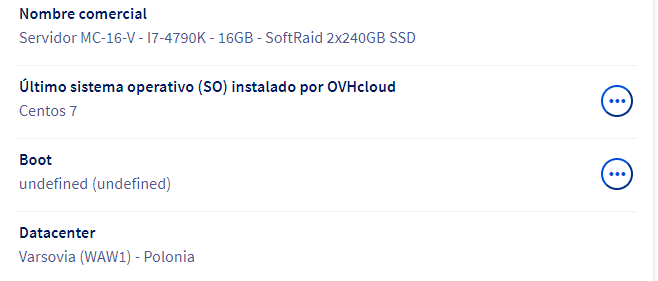
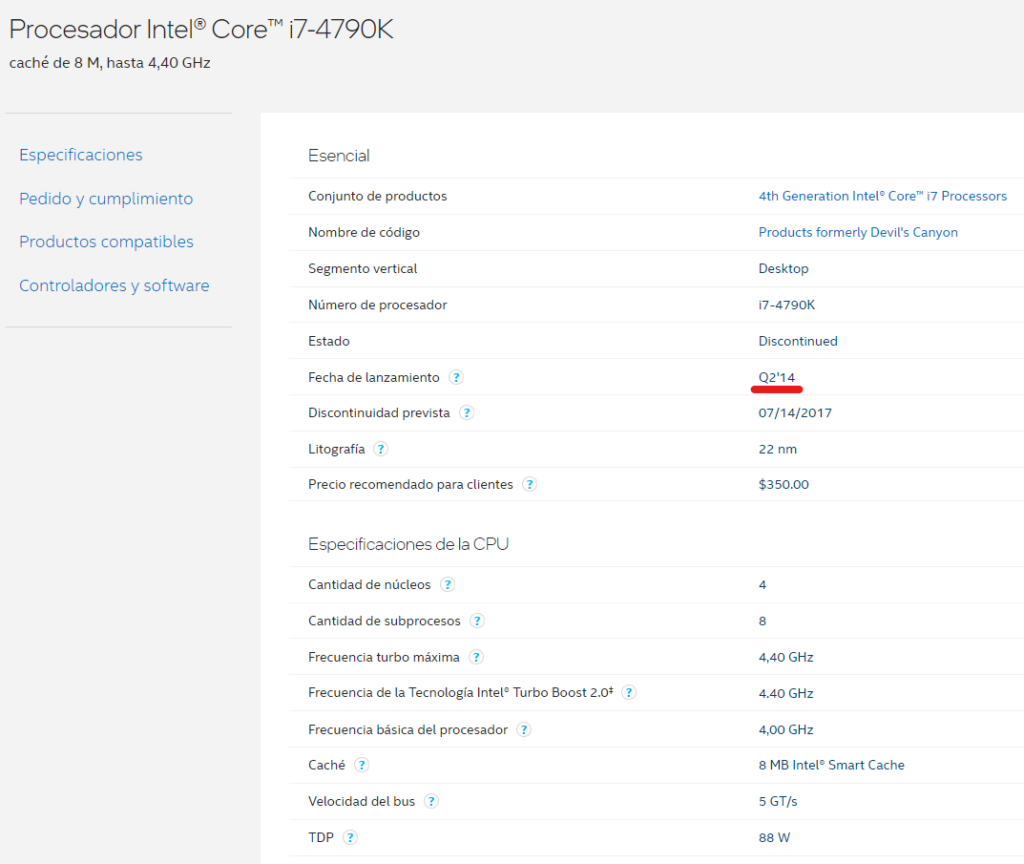
With processors, what I always do is google them and check the product page for the release date and the number of cores. Figures like gigahertz or price stop being useful because you can’t compare them directly. The release date tends to be one of the things I care about most. Here, for example, you can see it was a processor from mid-2014.
I picked Warsaw, Poland as the location simply because they had a good deal at that datacenter. In the long run it turned out to be a good call, because it wasn’t affected by any of the problems.
The main reasons for renting a new server were:
- Being able to use Laravel 9, which requires PHP 8.0.
- I refused to try upgrading PHP in place on the server itself, because I knew there was a good chance of breaking the whole setup.
- The server I had was fairly old, and I knew that for about the same price (€54.99 a month) I could get something more modern.
So I started comparing offers and chose this one: a processor four years newer, two more cores, twice the RAM and twice the storage.
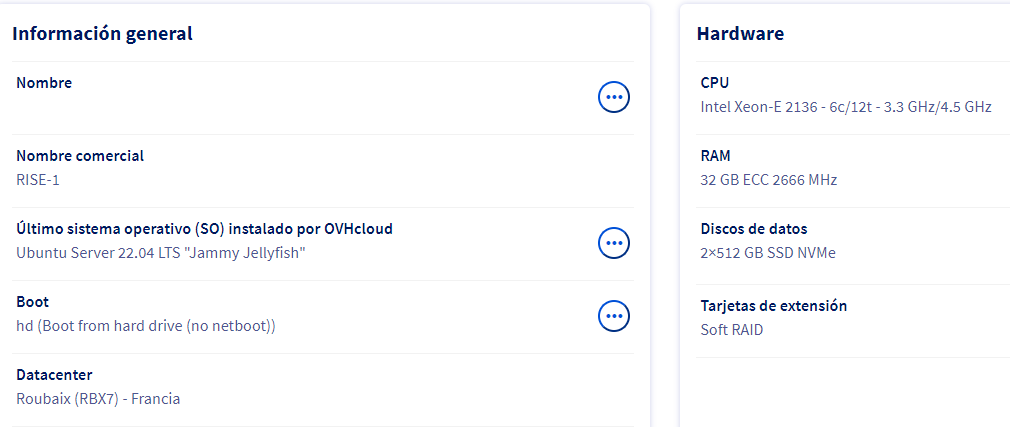
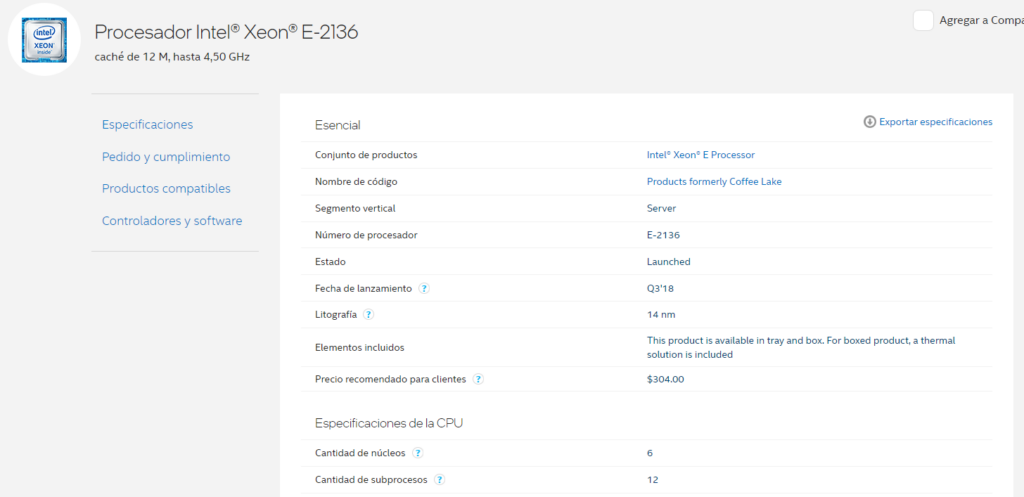
The price would have been €61.74, but because I signed up for a one-year commitment it comes down to €51.86, which is less than the old one cost. I imagine they’ll retire the old machine as soon as I cancel the subscription.
Ordering the new server wasn’t entirely smooth because the payment platform failed. I tried to pay the whole year upfront to get an even bigger discount, but after paying it sent me back to the previous step. My bank showed an authorization for the first payment, and the second one was declined. In the end, after contacting them, I ordered the server but paid month by month, because I didn’t trust it. By the way, the live chat doesn’t work: nobody answers. They did reply to tickets after an hour or two.
Unlike AWS and other platforms, the server isn’t available right away here. It depends on the location you choose. For some locations, like London, they said the server would be ready in 120 seconds. For others it can take anywhere from a few hours to 24 hours. The one I picked is in Roubaix, France, because it’s the closest to Spain I could find. They said it was one of the 24-hour ones, but it was ready in 12.
In the next posts I’ll go through how I installed the operating system and the supporting software, and how the data was migrated.
No comments yet